I spent three months developing a USDJPY momentum strategy on TradingView. When I finally ran it live, the real results didn't match my backtest at all. The strategy was profitable in both cases, but the numbers were off by roughly 40%.
The problem wasn't my strategy. It was my backtest settings. Three specific settings were wrong, and they made my backtest unrealistically optimistic.
Here's everything I learned about TradingView's Strategy Tester — the settings that matter, the ones that don't, and how to configure them so your backtest actually predicts real-world performance.
What Is the TradingView Strategy Tester?
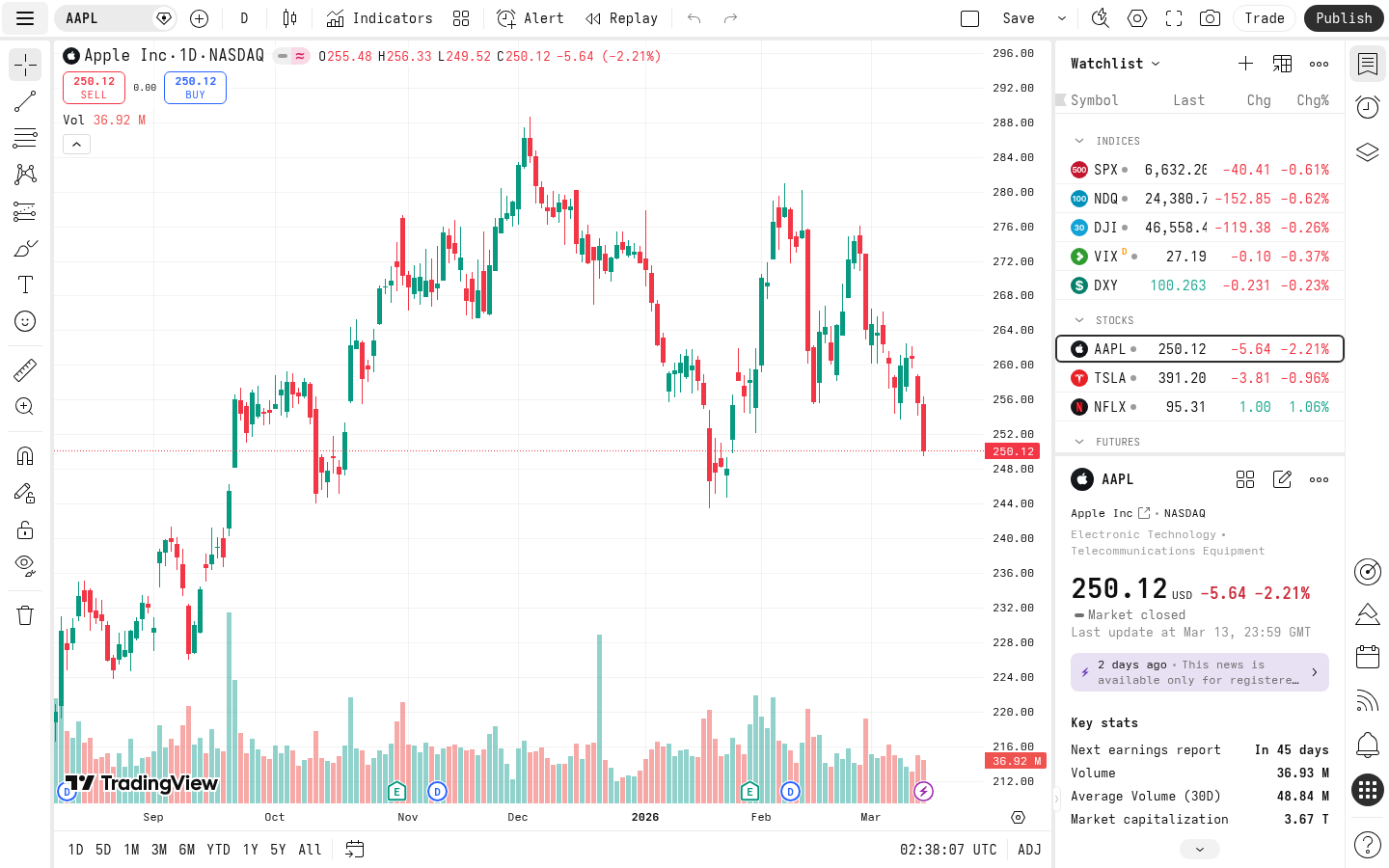
The Strategy Tester is TradingView's built-in backtesting engine. When you write a Pine Script strategy (as opposed to an indicator), TradingView automatically simulates trades on historical data and shows you the results.
You access it by clicking the "Strategy Tester" tab at the bottom of your chart after adding a strategy.
It shows:
- Overview: Net profit, total trades, win rate, profit factor, max drawdown
- Performance Summary: Long vs short breakdown
- List of Trades: Every entry and exit with P&L
- Equity Curve: Visual of your account growth over time
The 3 Settings That Were Killing My Backtest Accuracy
1. Commission: The Silent Profit Killer
Default: 0 (zero commission, as of 2026-04) What you should set: Your actual broker commissionThis is the biggest offender. By default, TradingView assumes you pay zero trading fees. For a strategy that trades frequently, this can inflate your backtest profit by 20-50%.
How to set it in Pine Script:
//@version=6
strategy("My Strategy", overlay=true, commission_type=strategy.commission.percent, commission_value=0.04)
For forex on most brokers, the commission is embedded in the spread. I use commission_value=0.04 (0.04%, as of 2026-04) to approximate the typical USDJPY spread cost per side.
Go to Strategy Tester → Settings (gear icon) → Properties tab → Commission. Set the type (percent, fixed per contract, or fixed per order) and value.
My experience: When I added realistic commission to my USDJPY strategy, my net profit dropped from +18.7% to +11.2% over the same test period. That's a massive difference — and the 11.2% was much closer to my live results.2. Slippage: The Gap Between Theory and Reality
Default: 0 ticks (as of 2026-04) What you should set: 1-3 ticks minimumSlippage is the difference between the price you see and the price you actually get filled at. In a backtest, TradingView assumes perfect fills at exactly the price you request. In real trading, that never happens.
How to set it:
strategy("My Strategy", overlay=true, slippage=2)
The slippage parameter is measured in ticks (the minimum price movement of the instrument). For USDJPY, one tick is 0.001, so slippage=2 means 0.002 yen per side.
3. Initial Capital and Order Size: Position Sizing Matters
Default: 1000 USD, 1 contract per trade (as of 2026-04) What you should set: Your actual starting capital with percentage-based sizingThis one is subtle. If you backtest with a fixed order size (e.g., "buy 1 contract"), your results won't reflect compounding. A strategy that looks mediocre with fixed sizing might look great with percentage-based sizing — or vice versa.
strategy("My Strategy", overlay=true, initial_capital=10000, default_qty_type=strategy.percent_of_equity, default_qty_value=90)
This tells TradingView to use 90% of your current equity per trade, starting with $10,000. As your account grows, your position sizes grow too.
Why this matters: Fixed position sizing hides the real drawdown experience. If you're trading $10k and risking $1k per trade, that's 10% risk. But a backtest with "1 contract" at $50/contract doesn't tell you that.The Complete Settings Checklist
Here's my Pine Script strategy header after learning these lessons:
//@version=6
strategy("USDJPY Momentum",
     overlay=true,
     initial_capital=10000,
     default_qty_type=strategy.percent_of_equity,
     default_qty_value=90,
     commission_type=strategy.commission.percent,
     commission_value=0.04,
     slippage=2,
     process_orders_on_close=false,
     calc_on_every_tick=false,
     max_bars_back=5000)
Like what you're reading? Try it yourself — this link supports ChartedTrader at no cost to you.
Try TradingView for free →Let me explain the additional settings:
| Setting | Value | Why |
|---|---|---|
process_orders_on_close | false | Prevents unrealistic same-bar execution. Orders fill on the next bar's open. |
calc_on_every_tick | false | Strategy recalculates on bar close only, not every tick. More realistic for most strategies. |
max_bars_back | 5000 | How much historical data to use. More bars = more data = more reliable stats. |
Settings You Can Access via the UI (Properties Tab)
Not everything needs to be in code. The Strategy Tester Properties tab lets you override several settings without editing Pine Script:
- Initial Capital — Set this to match your real trading account size
- Base Currency — Match your account currency (USD, EUR, SGD, etc.)
- Order Size — Can override the code's default
- Commission — Can add it here if not in code
- Slippage — Same, UI overrides code
- Recalculate on every tick — Leave off unless you have a specific reason
How to Read Your Backtest Results (Without Fooling Yourself)
After fixing your settings, here's what to actually look at:
Metrics That Matter
Profit Factor (> 1.5 is good, > 2.0 is excellent) This is gross profit divided by gross loss. A profit factor of 1.5 means you make $1.50 for every $1.00 you lose. Below 1.3, your strategy probably won't survive real trading after additional costs. Max Drawdown (< 20% for most people) The largest peak-to-trough decline in your equity. If your backtest shows 35% max drawdown, can you stomach watching your account drop by a third? Most people can't. Total Trades (> 30 minimum) Below 30 trades, your results aren't statistically significant. I aim for at least 100 trades in my backtests. My USDJPY strategy generated 200+ trades over 5 years of data, which gave me confidence the edge was real. Win Rate + Average Win/Loss Ratio These two numbers together tell the full story. A 30% win rate is fine if your average win is 5x your average loss. A 70% win rate is dangerous if your average loss is 3x your average win.Metrics to Ignore
Net Profit % — Meaningless without context. A 500% return over 10 years with 60% max drawdown is terrible. Sharpe Ratio in TradingView — TradingView's Sharpe calculation uses assumptions that may not match your situation. Calculate it yourself if you need it.Common Backtest Mistakes (I Made All of Them)
Mistake 1: Overfitting to Historical Data
I spent two weeks tweaking my moving average periods until my backtest showed 25% annual returns. When I ran it forward on out-of-sample data, it barely broke even.
Fix: Split your data. Use 70% for developing your strategy and 30% for validation. If your strategy only works on the data you designed it on, it's overfit.Mistake 2: Ignoring Market Regime Changes
My momentum strategy worked beautifully from 2020-2023 but struggled in 2024's range-bound market. A backtest over the full period averaged out the good and bad years, hiding the regime dependency.
Fix: Look at your equity curve. If all the profits come from one period, your strategy might be regime-dependent. That's not necessarily bad — you just need to know when to turn it on and off.Mistake 3: Testing on Too Short a Timeframe
A strategy that works on 6 months of data has seen maybe one market condition. Test on at least 3-5 years if your timeframe allows it.
If you're building Pine Script strategies and want to learn the fundamentals, check out our TradingView Pine Script moving average crossover tutorial — it walks through building a real strategy from scratch.
Advanced: Deep Backtesting on TradingView
As of 2026-04, TradingView Premium and higher plans offer Deep Backtesting, which uses tick-level data instead of OHLC bars. This is especially important for:
- Scalping strategies (1-5 minute timeframes)
- Strategies with tight stop losses
- High-frequency entries
Deep Backtesting eliminates this problem by using actual tick data. If your strategy trades on anything below the 1-hour timeframe, it's worth the upgrade.
Try TradingView — as of 2026-04, the free plan lets you run basic backtests, and you can upgrade if you need Deep Backtesting.My Backtest vs. Live Results: The Final Comparison
After fixing all three settings (commission, slippage, and position sizing), here's how my USDJPY momentum strategy backtest compared to live trading:
| Metric | Backtest (corrected) | Live (3 months) |
|---|---|---|
| Win Rate | 58% | 55% |
| Profit Factor | 1.62 | 1.48 |
| Avg Win/Loss | 1.8 | 1.7 |
| Max Drawdown | -12% | -9% |
- Internet disconnections
- Broker requotes
- Liquidity gaps during news events
- Psychological factors (closing trades early)
For those interested in the actual strategy behind these results, I wrote about the momentum strategy implementation with Interactive Brokers Python API — including the production code.
FAQ
How accurate is TradingView backtesting?
With default settings, TradingView backtests can be 30-50% too optimistic because they assume zero commission, zero slippage, and perfect fills. After adding realistic commission (0.04-0.1%, as of 2026-04), slippage (1-3 ticks), and proper position sizing, I found my backtests came within 5-10% of live results — accurate enough to make trading decisions.
What commission should I use for backtesting forex on TradingView?
As of 2026-04, for forex pairs like USDJPY, I use 0.04% per side to approximate spread costs. This varies by broker — tight-spread brokers like Interactive Brokers may be closer to 0.02%, while wider-spread retail brokers might need 0.06-0.10%. Check your broker's average spread for your pair and convert it to a percentage.
Does TradingView Strategy Tester work on the free plan?
As of 2026-04, yes, the free plan includes the Strategy Tester with basic backtesting. However, you're limited to one strategy at a time, fewer historical bars, and no Deep Backtesting (tick-level data). For serious strategy development, the Premium plan adds Deep Backtesting and more simultaneous indicators.
What is a good profit factor in backtesting?
A profit factor above 1.5 is generally considered good for retail traders. Above 2.0 is excellent. Below 1.3, the strategy likely won't survive real trading after accounting for additional costs the backtest can't model (slippage variability, execution delays, psychological factors). My USDJPY strategy targets a profit factor of 1.5+ in backtest, expecting ~1.4+ in live trading.
How many trades do I need for a reliable backtest?
At minimum, 30 trades — but 100+ is much better. With fewer than 30 trades, your results can be heavily skewed by a few lucky or unlucky trades. I aim for at least 200 trades in my backtests, which usually means testing over 3-5 years of data on a daily timeframe.
---
*This article contains affiliate links. If you sign up through our links, we may earn a commission at no extra cost to you. All opinions are based on real trading experience. Trading involves risk — past performance doesn't guarantee future results.*