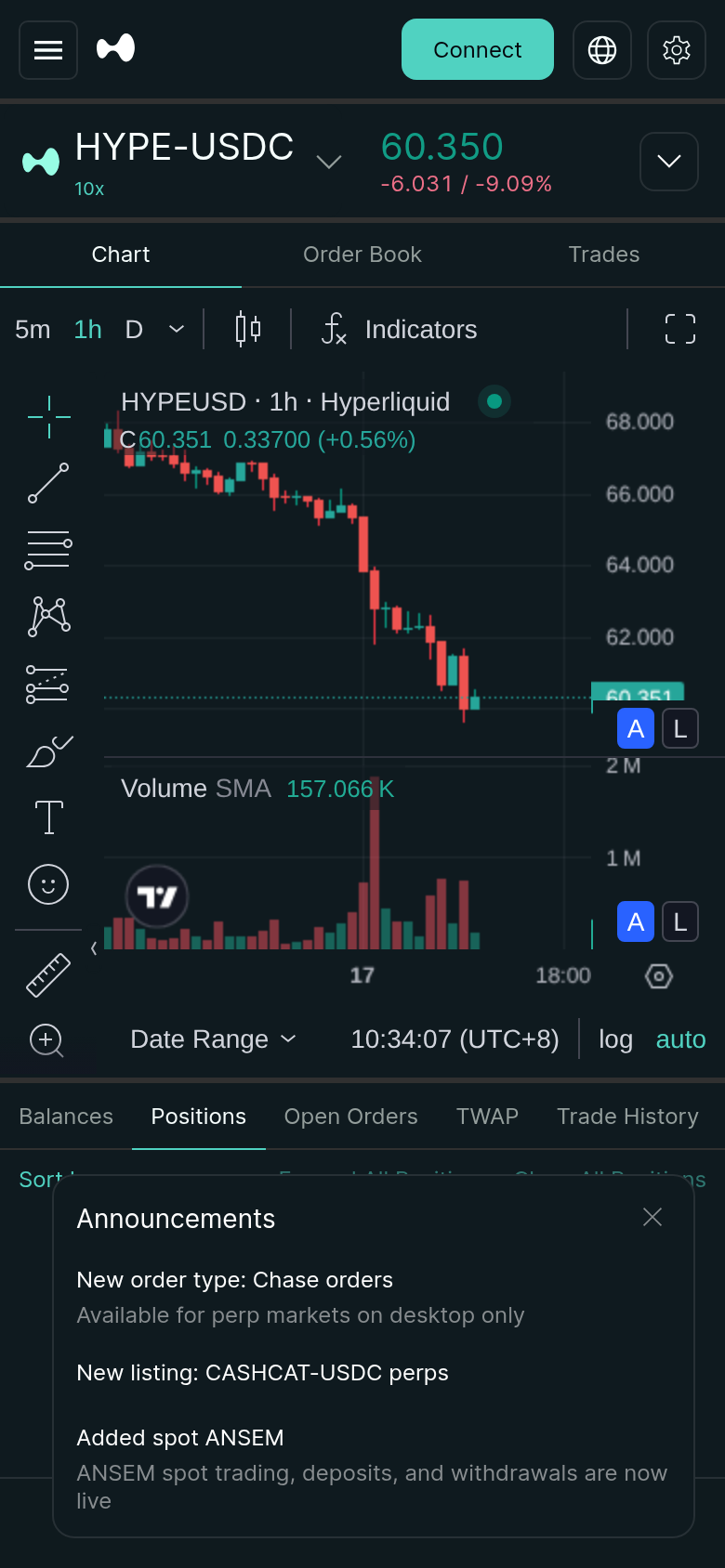
*Evidence: Logged-out mainnet public UI, captured and refreshed automatically each week. Official source.*
This guide breaks down exactly why Hyperliquid’s adaptive login and registration process fails, and provides the definitive fixes to get you connected and trading.
About this guide: I'm the writer behind supa.is. Between February and May 2026 I've published 150+ articles on supa.is across crypto and brokerage tooling — including 30+ Hyperliquid-specific guides (recent examples: Hyperliquid Getting Started: Wallet to First Perp, Hyperliquid Setup: Wallet to First Perps Trade, Hyperliquid Android App Wallet Connection Fix). The most-repeated reader question across that Hyperliquid archive is exactly why the adaptive login and registration process gets stuck, which is why I'm publishing this standardized guide instead of answering one-off.
What is Hyperliquid's Adaptive Login?
Hyperliquid skips the traditional email-and-password system. Instead, it uses an adaptive login mechanism.
When you visit the Hyperliquid interface, the platform detects your connected crypto wallet (like MetaMask, Rabby, or Phantom) and uses it to generate a unique, non-custodial account on their L1. Your wallet signature acts as your password. The "adaptive" part means the system dynamically adjusts the login flow based on your wallet provider, the network you are on, and whether you are logging in from a desktop or mobile device.
If this handshake between your wallet and Hyperliquid's backend fails, you are locked out of the registration flow. The number one reason this fails is a dropped connection between your wallet and the Hyperliquid frontend. Usually, you left the tab open too long or your wallet extension updated in the background.
To fix it, check the top right corner. If it says "Connect Wallet" or shows a disconnected state, your session expired. Re-authorize the connection in your wallet extension. Crucial Step: After connecting, do not immediately click "Login" or "Register." Wait 3-5 seconds for the Hyperliquid UI to fetch your account state. You will know it worked when your wallet address is displayed with a green dot next to it.
Mobile wallets (like MetaMask Mobile or Trust Wallet) are even more fragile. The Hyperliquid mobile interface relies on a deep link to your wallet app, which times out if you switch apps too quickly. Keep your wallet app open in the background while navigating the Hyperliquid mobile site.
Hyperliquid operates on its own Layer 1 blockchain, but your wallet extension might default to Ethereum Mainnet, Arbitrum, or Optimism. The adaptive login system requires your wallet to be aware of the Hyperliquid network to sign the registration transaction.
Open your wallet extension (e.g., MetaMask) and check the network dropdown at the top. If Hyperliquid is not listed, add it using the official network parameters from the Hyperliquid documentation. Switch your wallet to the Hyperliquid network, then refresh the Hyperliquid interface and attempt the login again.
Trying to log in while your wallet is still on Ethereum Mainnet is a common mistake. The signature request will fail because the chain ID doesn't match what Hyperliquid expects.
If you have previously tried to log in, your browser might be holding onto stale session data. This is especially true if you were previously logged in under a different wallet address. The adaptive login system gets confused when it sees conflicting local storage data.
Like what you're reading? Try it yourself — this link supports ChartedTrader at no cost to you.
Sign up on Hyperliquid →First, force a hard refresh (Ctrl + F5 on Windows, Cmd + Shift + R on Mac). If that doesn't work, clear your browser's cache and cookies for app.hyperliquid.xyz. If you are still stuck, try opening an Incognito/Private window. If it works in Incognito but not in your normal browser, you have a browser extension conflict.
Sometimes, the adaptive login gets stuck in a "Registration Pending" or "Account Being Created" loop. This happens when the signature was signed successfully, but the Hyperliquid L1 mempool is congested, or the transaction got stuck.
Do not keep clicking "Register." This will create duplicate pending transactions, which will only make things worse. Check the transaction status on the Hyperliquid block explorer. If the transaction is pending, simply wait—the Hyperliquid L1 is highly performant, and transactions usually clear within seconds to a minute. If the transaction has been pending for more than 5 minutes, it may have failed silently. Check your wallet's transaction history for a failed signature, then clear your browser cache and try the registration process again.
Logging in on mobile is notoriously difficult. The Hyperliquid mobile site tries to hand off the signature request to your mobile wallet app via Web3 deep links. If this handoff fails, the adaptive login drops.
Instead of using Chrome or Safari, use a Web3-enabled mobile browser like Brave, Alpha Wallet, or Trust Wallet's built-in browser. These browsers handle Web3 signatures natively without relying on fragile deep links. If you must use Chrome or Safari, open the site settings and toggle "Desktop Site" to force the mobile browser to render the desktop interface, which sometimes bypasses the mobile-specific deep link bugs. Finally, ensure your mobile wallet app is updated to the latest version—older versions often lack the necessary RPC endpoints to communicate with the Hyperliquid L1.
Why Does Adaptive Login Fail More Often on Mobile?
The adaptive login system was primarily designed and optimized for desktop environments. On desktop, your wallet extension runs continuously in the background, maintaining a persistent connection to the Hyperliquid WebSocket.
On mobile, operating systems aggressively throttle background processes to save battery. When you switch from the Hyperliquid browser tab to your wallet app to sign a transaction, the mobile OS might pause the browser tab. By the time you switch back, the WebSocket connection has timed out, and the signature request is invalid. This is why using a Web3-enabled mobile browser is the most reliable workaround for mobile users.
Preventing Future Login Issues
Once you have successfully registered and logged in, you want to avoid getting locked out again. Here are a few best practices:
* Keep Your Wallet Extension Updated: Wallet updates often include bug fixes for signature handling. An outdated wallet extension is a common cause of sudden login failures.
* Don't Use Multiple Wallets Simultaneously: If you have two wallets connected to the same browser (e.g., MetaMask and Rabby), the adaptive login system can get confused about which wallet is the "primary" account. Disconnect unused wallets before logging in. * Bookmark the Correct URL: Always log in throughapp.hyperliquid.xyz. Phishing sites or outdated bookmarks can lead to frontend versions that are out of sync with the backend, causing immediate login failures.
* Use the Official Hyperliquid App: If you are on mobile, the official Hyperliquid mobile app (if available in your region) is generally more stable than the mobile web interface for maintaining persistent login sessions.
Is Hyperliquid Safe? Understanding the Non-Custodial Login
Many new users worry that signing a transaction to "log in" means they are giving Hyperliquid access to their funds. This is a common misconception.
When you sign the adaptive login transaction, you are only signing a message that proves you own the private key associated with your wallet address. You are not approving a token transfer, and you are not granting unlimited spending permissions. Hyperliquid is a non-custodial platform. Your funds remain in your wallet (or in a smart contract controlled by your private key) at all times. The login signature is purely for authentication.
However, you should always verify the signature request in your wallet before clicking "Sign." If the signature request asks for an approval of a specific token (like USDC or ETH), close the request immediately. A legitimate Hyperliquid login signature will only ask for a message signature, not a token approval.
Conclusion
Hyperliquid's adaptive login system eliminates the need for passwords and email verification, but its reliance on Web3 connections means it is susceptible to network drops, wallet misconfigurations, and browser conflicts.
By ensuring your wallet is on the correct network, clearing stale browser data, and using the right mobile browser, you can bypass the registration wall and start trading. If you are still stuck, the most reliable fallback is to try logging in on a completely different device or browser to isolate whether the issue is with your wallet or your local environment.
Ready to start trading? Launch Hyperliquid directly through our link to ensure you are on the official, secure platform.
FAQ
Can I log in to Hyperliquid without a crypto wallet?
No. Hyperliquid is a non-custodial platform. You must have a Web3 wallet (like MetaMask, Rabby, or Phantom) to sign the adaptive login transaction. There is no email/password option.What should I do if my signature request times out?
If your wallet shows a signature request that times out, simply close the request and refresh the Hyperliquid interface. Do not keep trying to sign the same expired request. Re-initiate the login process from the Hyperliquid side.Why does Hyperliquid ask me to sign a message to log in?
The message signature is a cryptographic proof that you own the private key of your wallet address. It allows Hyperliquid to securely link your wallet to your trading account without ever asking for your private key.Is it safe to sign the login message?
Yes, as long as you are on the officialapp.hyperliquid.xyz website. The login signature does not grant Hyperliquid access to your funds. It only authenticates your identity. Always verify that the signature request does not ask for token approvals.
Can I use the same wallet to log in on multiple devices?
Yes. You can use the same wallet address to log in on your desktop and your mobile device simultaneously. However, be cautious of security. If one of your devices is compromised, your Hyperliquid account is at risk.Risk Warning
Risk Warning: Crypto trading involves substantial risk of loss. Never invest more than you can afford to lose. This is not financial advice.