> About this guide: I'm Lawrence, the writer behind supa.is. Between February and May 2026 I've published 150+ articles on supa.is across crypto and brokerage tooling โ including 30+ Hyperliquid-specific guides (recent examples: Hyperliquid Zero-Fee Trading, Hyperliquid Maker vs Taker Fees, Hyperliquid Portfolio Margin). The most-repeated reader question across that Hyperliquid archive is exactly how to calculate the real cost of holding a position, which is why I'm publishing this standardized guide instead of answering one-off.
> Disclosure: This article contains affiliate links. We may earn a commission at no extra cost to you.
> Note: Steps below are reconstructed from official docs (linked). Verify each step against the current UI before relying on it.
---
Hyperliquid's taker fees are practically free. But if you hold a position for more than a few hours, the funding rate will quietly eat your profits.
For swing traders or anyone holding a position for more than a few hours, the funding rate can completely erase your profits or amplify your losses. Hyperliquid settles funding every 8 hours. If you don't track it, you are flying blind.
This guide covers how to view the funding rate history on Hyperliquid, how to export your position data, and exactly how to calculate your total trading cost. We will break down the math, the mechanics, and the tools you need to stay profitable.
What Is the Hyperliquid Funding Rate?
Before we calculate costs, we need to understand the mechanism. A perpetual futures contract has no expiry date. To keep the perpetual price anchored to the underlying spot price, exchanges use a funding rate.
On Hyperliquid, the funding rate is calculated and settled every 8 hours.
* If the funding rate is positive, long positions pay short positions. This usually happens when the market is bullish, and longs are paying shorts to keep the price from drifting too high.
* If the funding rate is negative, short positions pay long positions. This happens in bearish markets, where shorts pay longs to keep the price from drifting too low.The rate is typically a fraction of a percent per 8-hour interval (e.g., 0.01% or -0.01%). While it sounds small, over a week of holding a leveraged position, it adds up quickly.
How to View Funding Rate History on Hyperliquid
Hyperliquid provides real-time funding rate data directly on the trading interface, but viewing the historical trend requires a bit of navigation.
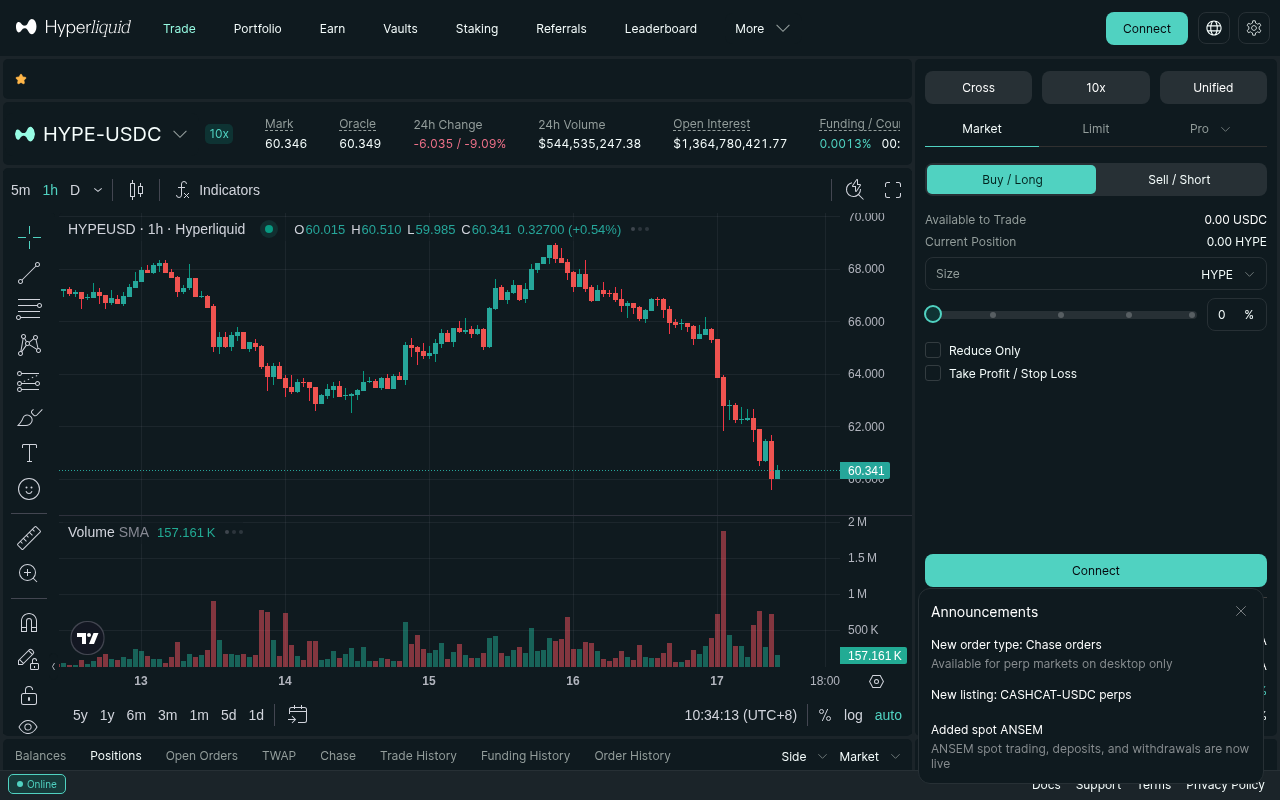
1. Open the Perpetual Trading Interface: Go to the Hyperliquid app and select the perpetual contract you are interested in (e.g., BTC-USD or ETH-USD).
2. Check the Current Rate: Look at the top of the order book. You will see the current funding rate (e.g.,0.0100%).
3. Next Settlement Time: Next to the rate, you will see a countdown timer indicating when the next funding settlement will occur.
4. Historical Data: To see the history of funding rates over time, you can use the "Funding Rate" chart. If you don't see it, scroll down the right-hand panel or check the "Data" tab for the specific asset.
For deeper historical analysis, Hyperliquid provides on-chain data that can be queried. If you are building a quantitative model, you might want to pull the funding rate history directly from the blockchain or via the Hyperliquid API.
How to Export Your Position Data
To calculate your exact trading cost, you need to know your exact entry time, leverage, and position size. Hyperliquid doesn't have a one-click "export to CSV" button for historical trades in the standard UI, but you can reconstruct your data using a few methods.
Method 1: The Activity Statement
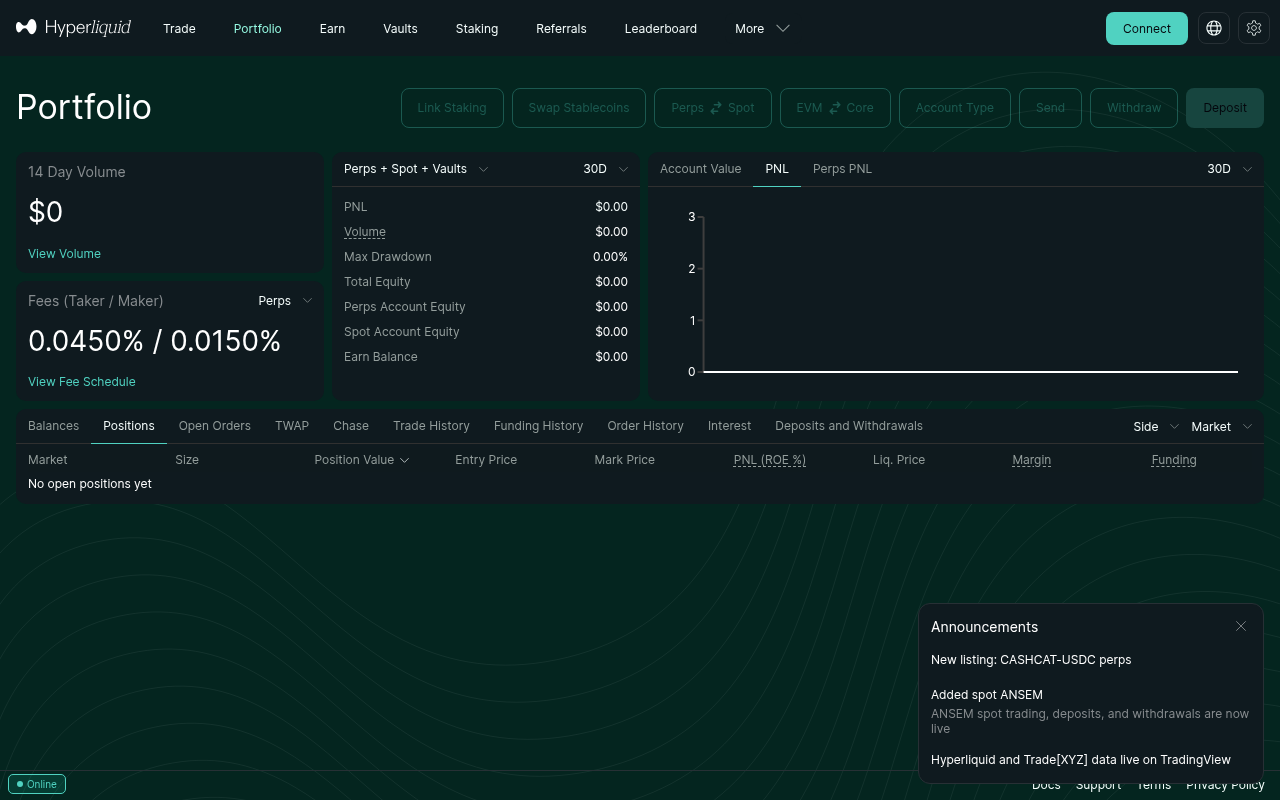
Hyperliquid provides an activity statement that logs your trades and funding settlements.1. Click on your profile icon in the top right corner of the Hyperliquid app.
2. Select Activity or History. 3. Filter by Funding to see every 8-hour funding settlement you have paid or received. 4. Filter by Trades to see your entry and exit points.You can manually copy this data into a spreadsheet. While tedious, it gives you the exact numbers.
Method 2: Using the Hyperliquid API
If you are comfortable with Python, the Hyperliquid API is the most efficient way to export your data. The API allows you to query your account history, including past trades and funding payments.You can use the Hyperliquid Python SDK to pull your trade history and funding history into a pandas DataFrame. This allows you to automatically calculate the total cost of your trades.
# Conceptual example of pulling data via API
from hyperliquid.info import Info
info = Info("your-api-key")
trades = info.user_trades("your-address")
funding = info.funding_history("your-address")
*Note: Always verify API keys and permissions. Only grant "Read" permissions unless you are building an automated trading bot.*
How to Calculate Your Real Trading Cost
Your total cost comes down to three things:
Like what you're reading? Try it yourself โ this link supports ChartedTrader at no cost to you.
Sign up on Hyperliquid โ1. Taker/Maker Fees: The fee paid when you open and close the position.
2. Funding Rate Payments: The cumulative cost of holding the position over 8-hour intervals. 3. Slippage: The difference between the price you expected and the price you got (less relevant for limit orders).Step 1: Calculate Taker/Maker Fees
Hyperliquid has a tiered fee structure. As of 2026, the standard taker fee is 0.05% and the maker fee is 0.01% (or lower depending on your volume tier).*Example:* You open a $10,000 long position using a market order (taker).
* Opening fee: $10,000 0.05% = $5.00 * Closing fee: $10,000 0.05% = $5.00 * Total Taker Fees: $10.00If you used a limit order (maker), your fees would be $1.00 total.
Step 2: Calculate Funding Rate Payments
This is where most traders get burned. The funding rate is applied to your notional position size, not your margin.*Example:* You hold a $10,000 long position for 24 hours. The funding rate is 0.01% every 8 hours.
* 8 hours: $10,000 0.01% = $1.00 * 16 hours: $10,000 0.01% = $1.00 * 24 hours: $10,000 0.01% = $1.00 * Total Funding Cost: $3.00Now, let's change the scenario. The market is very bullish, and the funding rate is 0.10% (10x higher).
* 8 hours: $10,000 0.10% = $10.00 * 16 hours: $10,000 0.10% = $10.00 * 24 hours: $10,000 0.10% = $10.00 * Total Funding Cost: $30.00See the difference? A 0.10% funding rate means you are paying 0.30% of your position size every day. If your position is leveraged 10x, that 0.30% cost on the notional value translates to a 3.0% cost on your actual margin.
Step 3: The Total Cost Formula
Here is the formula to calculate your total trading cost: Total Cost = (Opening Fee + Closing Fee) + (Notional Size Funding Rate Number of 8-hour Intervals)*Example Calculation:*
* Position: $50,000 Long BTC * Leverage: 5x (Margin: $10,000) * Orders: Market (Taker) * Holding Period: 48 hours (6 funding intervals) * Average Funding Rate: 0.05%1. Taker Fees: $50,000 0.05% 2 = $50.00
2. Funding Cost: $50,000 0.05% 6 = $150.00 3. Total Cost: $50.00 + $150.00 = $200.00Your position must move up by $200 (0.40% of the notional value, or 2.0% of your margin) just to break even.
The "Zero-Fee" Loophole on Hyperliquid
If you are looking to minimize these costs, you should know about Hyperliquid's zero-fee trading assets. Hyperliquid periodically designates certain altcoins as "zero-fee" assets. When you trade these, the taker and maker fees drop to 0%.
However, the funding rate still applies. Even if you pay $0 in taker fees, you will still pay the 8-hour funding settlement. If you are holding a zero-fee asset for 24 hours, your total cost is purely the funding rate.
You can check the current list of zero-fee assets on the Hyperliquid trading interface. Look for the "0% Fee" tag next to the asset name.
How to Use Funding Rate Data to Your Advantage
Tracking funding rates isn't just about knowing what you're payingโit's about finding free money.
1. Funding Rate Arbitrage
If the funding rate is extremely high (e.g., 0.20% or higher), it means the market is heavily skewed to the long side. You can open a short position to collect the funding payments.*Strategy:* Short the asset, and wait for the 8-hour funding settlement. You collect 0.20% of your notional size every 8 hours. If you do this 3 times a day, you are earning 0.60% daily, regardless of the price movement.
*Warning:* This is not risk-free. If the price drops, your short position will lose money. You must hedge or be confident the price will stay stable.
2. Avoiding Bear Markets
In a bear market, the funding rate is often negative. If you are a long trader, you actually *receive* funding payments. This is a great time to hold long positions, as the market is paying you to hold them.Conversely, if you are shorting in a bear market, you will pay a negative funding rate, which adds to your costs.
3. Timing Your Entries
If you see the funding rate spiking to extreme levels, it often indicates a local top or bottom. Extreme longs paying extreme funding usually precedes a price drop. You can use the funding rate history as a contrarian indicator.Common Mistakes Traders Make
1. Ignoring the 8-Hour Clock: Traders often open a position at 1:00 PM and close it at 4:00 PM. They assume they only paid one funding rate. But if the funding settlement occurred at 3:00 PM, they paid it. You pay the funding rate if you hold the position at the exact moment of settlement.
2. Calculating Fees on Margin: Traders calculate the 0.05% taker fee on their $1,000 margin, instead of their $10,000 notional position. Fees and funding are always calculated on the notional value (Position Size Leverage). 3. Assuming Funding is Static: The funding rate changes every 8 hours. A rate of 0.01% today does not guarantee a rate of 0.01% tomorrow. Always check the current rate before holding a position overnight.FAQ
How often does Hyperliquid settle the funding rate?
Hyperliquid settles the funding rate every 8 hours. The exact times are usually 00:00 UTC, 08:00 UTC, and 16:00 UTC, but you should always check the countdown timer on the trading interface to be sure.Can I avoid paying the funding rate?
No, not if you hold a perpetual futures position. The funding rate is a mandatory mechanism to keep the perpetual price aligned with the spot price. The only way to avoid it is to close your position before the 8-hour settlement, or to trade spot assets instead of perpetuals.What happens if I get liquidated?
If you get liquidated, your position is closed immediately. You will not be charged the next funding rate settlement. However, you will still be charged for the funding settlements that occurred while your position was open.Does the funding rate apply to spot trading?
No. The funding rate only applies to perpetual futures contracts. If you buy and hold an asset on the Hyperliquid spot market, you do not pay or receive funding.How do I know if the funding rate is high or low?
A funding rate of 0.01% is considered normal. A rate above 0.10% is considered high, and a rate above 0.20% is considered extreme. You can compare the current rate to the historical average for that specific asset to gauge its significance.Risk Warning
> Risk Warning: Crypto trading involves substantial risk of loss. Never invest more than you can afford to lose. This is not financial advice.
---
The taker fee is just the entry ticket. The funding rate is the cost of staying in the gameโand it's usually what turns a winning trade into a losing one. By exporting your data, tracking the 8-hour settlements, and calculating your real costs, you can make informed decisions and avoid the hidden fees that drain your account.
Ready to start trading with your eyes open? Sign up on Hyperliquid and use the referral code RICH888 to get a 4% fee discount on your first $25M in volume.