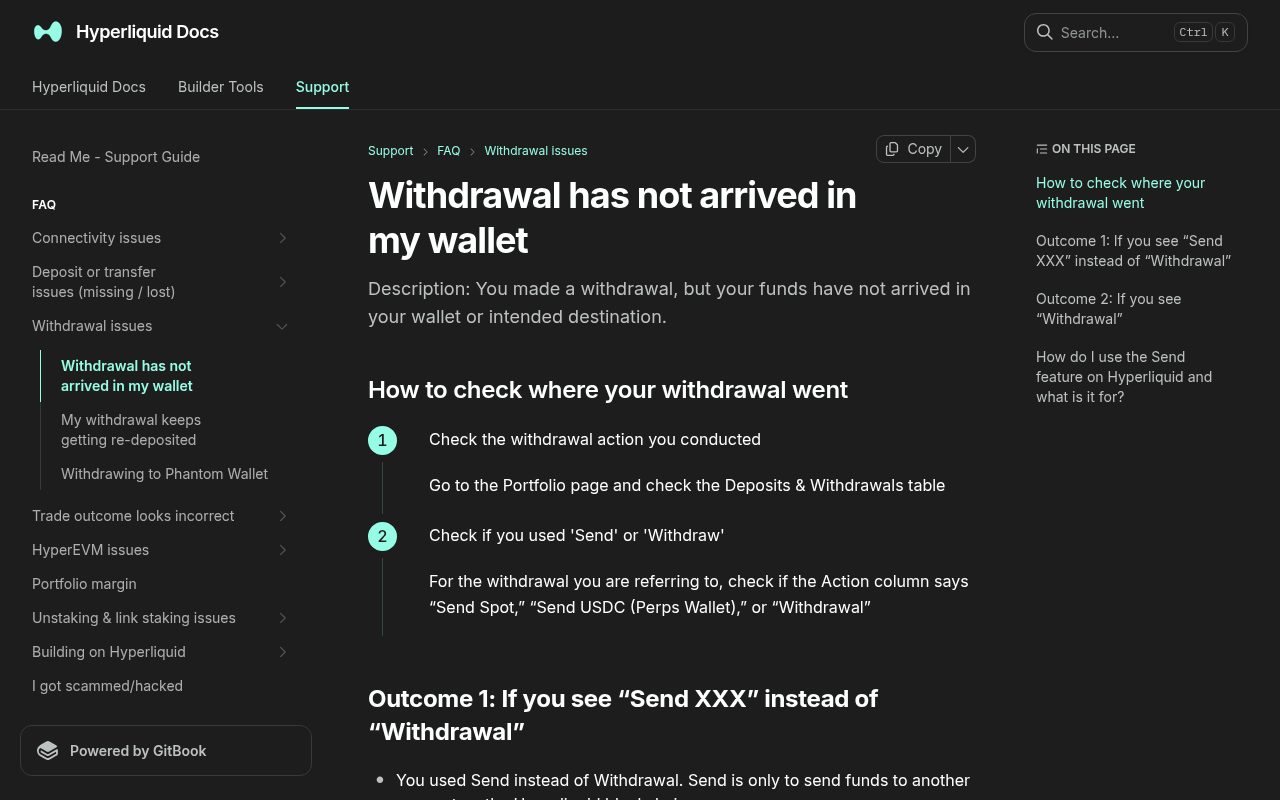
*Evidence: Official documentation, captured and refreshed automatically each week. Official source.*
There is no single honest “how long” promise. Hyperliquid's support guidance tells users to follow the duration estimate in the live modal and notes that congestion can extend it.
Preserve the minimum evidence
Record:
- Action label;
- Status;
- amount and asset;
- time submitted;
- destination public address;
- explorer or transaction reference;
- active Hyperliquid account/sub-account;
- live modal's duration estimate.
Decision tree
Branch 1: The Action says Send Spot or Send USDC
You used Hyperliquid's internal Send feature. The official support page states that Send transfers tokens to another account on the Hyperliquid blockchain; it does not withdraw to another blockchain.
- When you control the receiving address, connect that address to Hyperliquid and access the funds there.
- When the destination was a centralized-exchange address, only that exchange controls it. Recovery depends on the exchange supporting Hyperliquid-chain deposits or coordinating a recovery.
Branch 2: Withdrawal status is Pending
Wait through the duration estimate displayed by the withdrawal flow. The official support page says network congestion can make processing take longer than usual. Keep the page reference and monitor status; repeated submissions create additional transfers rather than accelerating the original.
Escalate only after the live estimate has passed materially and the status remains unchanged. Use support links reached from the official Hyperliquid documentation or interface.
Branch 3: Status is Completed, but the wallet shows nothing
Click the explorer link beside the withdrawal timestamp and verify:
- destination address;
- network;
- token contract and amount;
- final transaction status.
Branch 4: Status is Failed
Do not improvise with unofficial recovery accounts. Save the public evidence and follow the support route currently linked from Hyperliquid. A failed route for another supported asset may involve a third-party bridge operator; use only the operator named by the current official support page.
Branch 5: The balance was withdrawn and then appeared back on Hyperliquid
Hyperliquid's support documentation says some Telegram trading bots automatically deposit balances. Disable or review the bot configuration, or move assets to another address you control before withdrawing, following the official instructions. Do not expose keys to the bot's support channel.
Success check
The incident is resolved only when the ledger and destination agree:
- the action is correctly classified as Send or Withdrawal;
- its final status is known;
- the explorer destination matches the intended wallet;
- the asset is visible and controllable at the destination, or the exact recovery owner is documented.
Retry safely
Retry only after a failed action is final and its cause has been addressed. For the clean normal flow, return to Withdraw USDC to Arbitrum. Use a controlled test amount before a larger transfer.
Official sources and review date
- Hyperliquid support: Withdrawal has not arrived in my wallet
- Hyperliquid support: My withdrawal keeps getting re-deposited
- Hyperliquid: How to withdraw USDC
Risk warning: Do not send more funds or reveal account secrets while diagnosing a transfer. A public transaction hash is sufficient for initial investigation.