About this guide: I'm the writer behind supa.is. Between February and May 2026 I've published 150+ articles on supa.is across crypto and brokerage tooling — including 30+ Hyperliquid-specific guides (recent examples: Hyperliquid USDC Deposit Stuck? Arbitrum Decision Tree, Place Your First Hyperliquid Perp Trade Safely, Withdraw USDC from Hyperliquid to Arbitrum). The most-repeated reader question across that Hyperliquid archive is exactly how to safely bridge USDC via Arbitrum, which is why I'm publishing this standardized guide instead of answering one-off.
Direct answer: To use Hyperliquid's native USDC deposit route, connect the intended Hyperliquid account, hold supported USDC and enough ETH for gas on Arbitrum, click Deposit in the official interface, enter at least the current minimum shown by Hyperliquid, and confirm the transaction in the same wallet. Hyperliquid's support documentation currently states that only USDC deposits from Arbitrum are supported on this route and that deposits below 5 USDC are not credited. Recheck the live modal before sending because supported assets and limits can change.
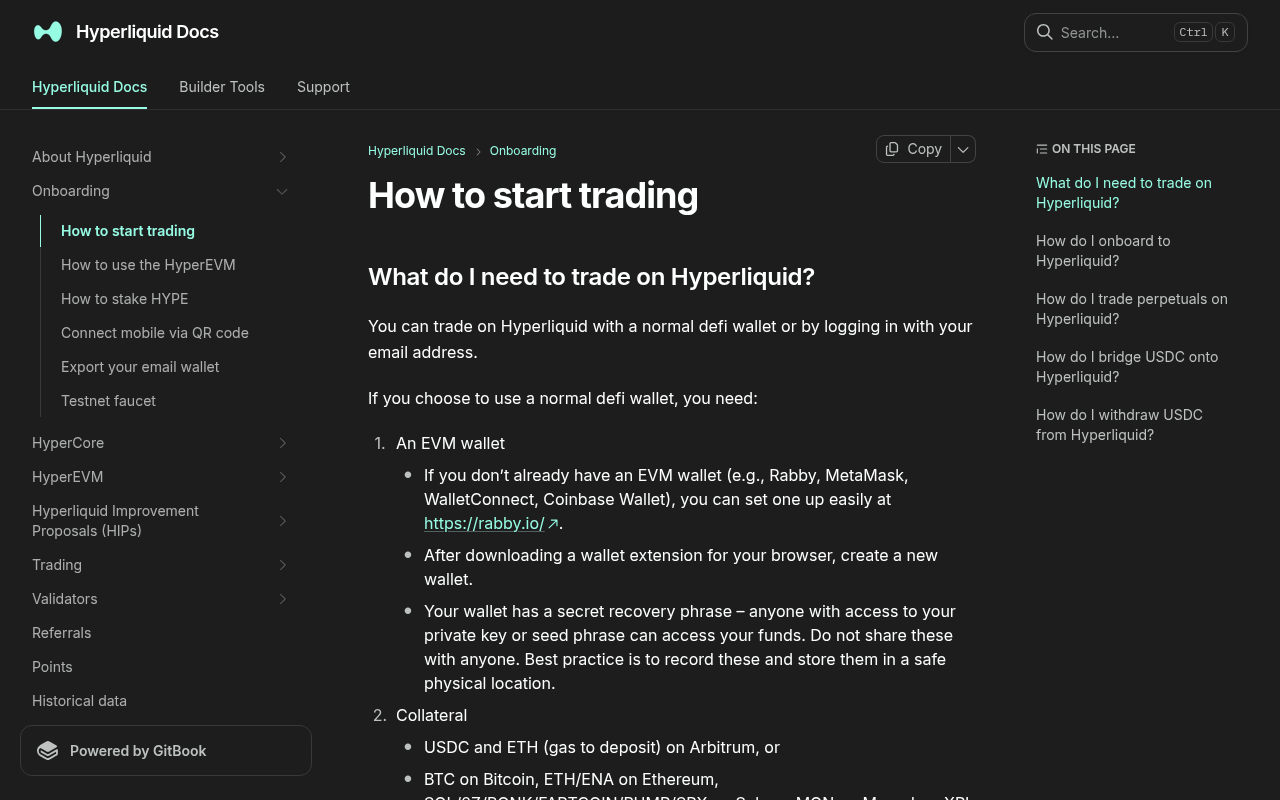
*Evidence: Official documentation, captured and refreshed automatically each week. Official source.*
This guide is for a DeFi-wallet user who already has USDC on Arbitrum. Email-login users can also receive supported assets at the address created for the email account, but they must confirm that address before transferring.
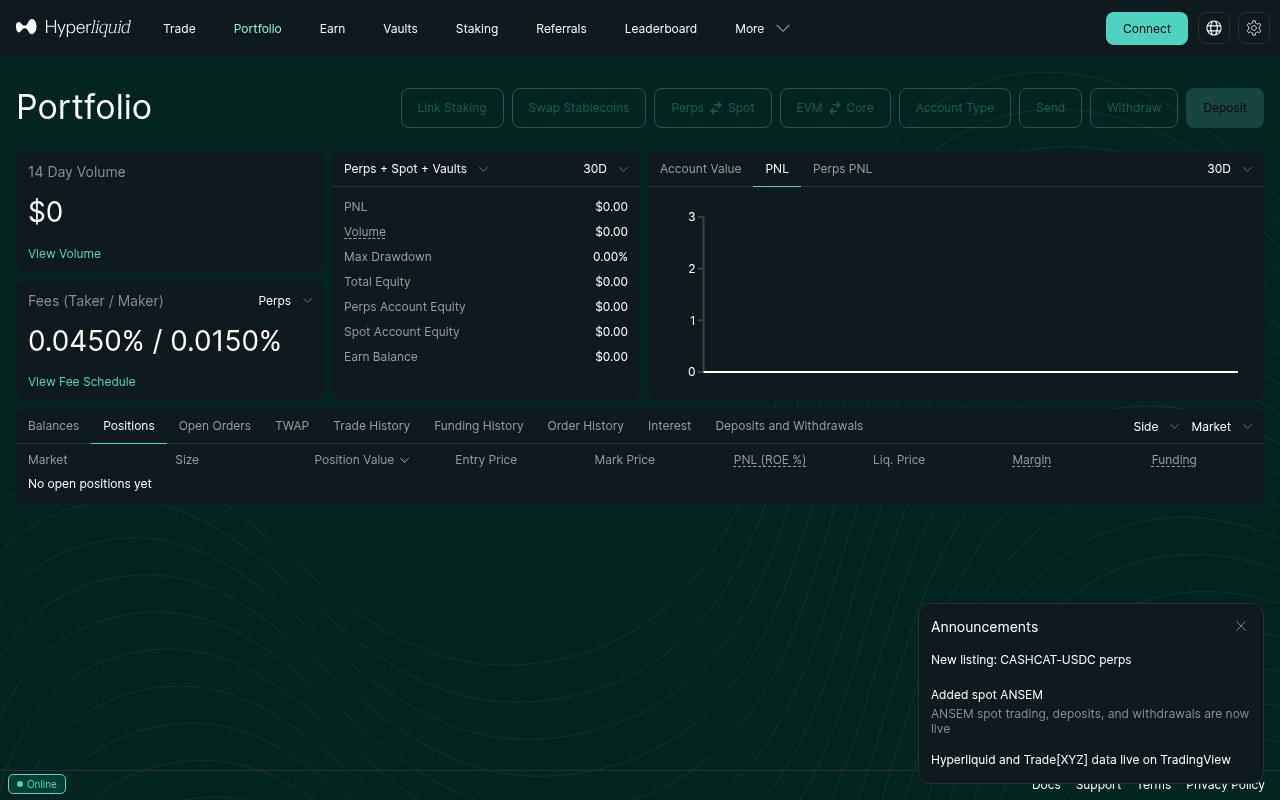
Before you deposit
You need all four items:
- The official Hyperliquid interface opened from a trusted bookmark.
- The exact account address you intend to fund.
- Supported USDC on Arbitrum, not USDT, bridged USDC on another chain, ETH, or ARB.
- A small amount of ETH on Arbitrum to pay the deposit transaction's network gas.
Network warning: “Arbitrum” in this guide means Arbitrum One as shown by the live Hyperliquid deposit flow. Match the token contract, network, wallet address, and live minimum before approving anything.
Step-by-step deposit
1. Confirm the active Hyperliquid address
Connect with the same email or wallet that will own the trading account. Copy the displayed public address and compare its first and last characters with the address in your wallet. Switching between email login and a DeFi wallet can open different accounts.
Like what you're reading? Try it yourself — this link supports ChartedTrader at no cost to you.
Open Hyperliquid →2. Check balances on Arbitrum
In the connected wallet, select Arbitrum and verify both:
- supported USDC is available;
- ETH is available for gas.
3. Open the native deposit flow
On the official trade page, click Deposit. Read the current asset, source network, minimum, destination account, and any fee message. Stop when the modal does not match this guide; the live product is authoritative.
4. Start with a controlled amount
Enter an amount above the live minimum while leaving enough ETH for gas. A small first deposit limits damage from a wrong account, unsupported token, or mistaken network.
5. Confirm in the wallet
Review the wallet request. The network must still be Arbitrum, and the amount must match. Never approve a request that asks for a seed phrase or private key. Submit the transaction and save its transaction hash without publishing your full account history.
Success check
The task is complete only when all three checks agree:
- the Arbitrum explorer shows a successful transaction;
- the connected Hyperliquid account shows the credited USDC balance;
- the displayed Hyperliquid address is the address you intended to fund.
When the balance does not arrive
Do not repeat the transfer immediately. Check, in order:
- Transaction missing or pending: verify the transaction hash and Arbitrum status. Wait for the network rather than submitting duplicates.
- Wrong account: compare the connected Hyperliquid address with the funded address.
- Wrong network or token: only the currently supported route can credit automatically.
- Below the minimum: Hyperliquid support currently documents a 5 USDC minimum for Arbitrum USDC deposits. Email-account recovery differs from external-wallet recovery.
- Successful supported transfer but no credit: preserve the hash, amount, time, network, token contract, and receiving address, then follow the official support decision tree.
What to do next
After the small balance is visible, calculate a deliberately limited position before ordering. Continue with Place Your First Hyperliquid Perp Trade Safely.
Official sources and review date
Facts verified July 16, 2026. Scheduled for factual review August 16, 2026.FAQ
What is the minimum USDC deposit on Hyperliquid via Arbitrum?
As of July 2026, Hyperliquid requires a minimum of 5 USDC for deposits via the Arbitrum network. Deposits below this amount may not be credited to your account.Can I deposit USDT to Hyperliquid via Arbitrum?
No, Hyperliquid currently only supports USDC deposits from the Arbitrum network. USDT and other stablecoins are not supported on this specific native deposit route.Do I need ETH to deposit USDC on Hyperliquid?
Yes, while trading on Hyperliquid is gasless, the initial deposit transaction on the Arbitrum network requires ETH to pay for gas fees. Ensure you have a small amount of ETH in your wallet on Arbitrum before initiating the transfer.How long does it take for USDC to arrive on Hyperliquid?
Once the transaction is confirmed on the Arbitrum network, the USDC should appear in your Hyperliquid account almost instantly. If it takes longer than a few minutes, check the transaction hash on an Arbitrum block explorer.What should I do if my USDC deposit is stuck?
If your deposit is stuck, do not send another transaction. Verify the transaction hash on an Arbitrum explorer, ensure you used the correct network and token, and refer to the Hyperliquid USDC deposit stuck guide for further troubleshooting steps.Risk Warning
Risk warning: A wrong network, token, or destination can cause permanent loss. Verify the current official interface and documentation before transferring funds. Crypto trading involves substantial risk of loss. Never invest more than you can afford to lose. This is not financial advice.
Continue with Hyperliquid
Browse the Hyperliquid guide hub for the complete user journey.